How to make a shot list, with a worked example
A shot list is one row per shot: what you'll film, how big, how long. Here is how to write one that still works on the day of the shoot, with a real example from a two-minute video and a free template to fill in online.
Filming without a list ends the same way every time. You come home with a pile of clips, and the only way to know what you have is to watch them all again. Something is always missing, and it is always the shot you can't go back for.
A shot list is the fix, and it is simpler than it sounds: a table with one row per shot. One shot is one piece of video you record in one go, from one place, with one idea. The list says what you are going to film, how big, and for how long. It does not say how you will edit it; that comes later.
This guide gives you the columns that matter, a way of numbering that survives changes, a real two-minute example, and the moment a spreadsheet stops being enough.
The columns that matter
You will find templates with twenty columns: angle, who is in the shot, props, sound, location, status. If you are a crew of one, or two, most of that is noise. Seven columns carry the whole plan.
| Column | What you write | From the example |
|---|---|---|
| Section | Which part of the video the shot belongs to | Waking up |
| Number | Its place inside the section | 02 |
| What you see | One line, in plain words | She wakes up. Focus on the eyes, window light. |
| Size | How much of the scene is in the frame (see below) | Close-up |
| How long | The seconds it will stay on screen | 7 s |
| Camera and lens | What you will shoot it with, if you own more than one | FX3 · 85 mm |
| Reference | A picture that shows the look you are after | A photo of a face in soft morning light |
Size is the one word of trade language worth learning. It says how close the camera is to what matters: a very wide shot shows the whole place, a wide shows a person and their surroundings, a medium cuts them at the waist, a close-up is a face, a detail is a hand on a cup. Two more are about where the camera is: overhead looks straight down, aerial is a drone. That is all the vocabulary you need.
Everything else goes in a note: whether the camera moves or stays still, where you'll stand, what has to happen in the shot. If the shot depends on the sun, note the window of light it needs. A note is read on the day; a column you never fill in is not.
Number by section, so you can add a shot without renumbering
The classic list numbers shots 1 to 40. Then you think of a new shot for the opening, and either it becomes shot 41 and lives at the wrong end of the list, or you renumber everything and the notes you wrote on paper no longer match.
Number inside each section instead: shot 02 of Waking up, shot 03 of The run. A new shot in the opening is 03 of Silence and nothing else moves. If you want room between shots, count in tens: 10, 20, 30, and a late idea becomes 15. In the trade, a shot's number is its name, so give it one that won't change.
The worked example: a morning in a city, in two minutes
This is a real plan for a two-minute video: a city before dawn, someone who gets up and runs through empty streets, a meeting on a bridge at first light, the sun coming up over the river. Six sections, fourteen shots.
| Section | # | What you see | Size | s | Camera and lens |
|---|---|---|---|---|---|
| Silence | 01 | Window in the dark. Very slow fade in, a single lit window, no movement | Detail | 10 | FX3 · 85 mm |
| Silence | 02 | Sleeping skyline. Static drone at 80 m, the sky just starting to lighten | Very wide | 9.5 | Mavic 3 Pro |
| Waking up | 01 | She wakes up. Focus on the eyes, natural window light | Close-up | 7 | FX3 · 85 mm |
| Waking up | 02 | Hallway, following her from behind. Handheld, let it breathe | Medium-wide | 7 | FX3 · 35 mm |
| Waking up | 03 | Coffee, hands and cup. Steam against the light | Detail | 6 | A7 IV · 100 mm macro |
| The run | 01 | The empty street. Tripod; she enters from the left as the music kicks in | Wide | 7 | FX3 · 24 mm |
| The run | 02 | Running. Handheld alongside her, the drums set the pace of the steps | Medium | 7 | FX3 · 35 mm |
| The run | 03 | Red light. Detail of the traffic light; it turns green on the last beat | Detail | 7 | A7 IV · 100 mm macro |
| The bridge | 01 | The bridge. Slow drone orbit at first sun; the low sun is the shot | Aerial | 10 | Mavic 3 Pro |
| The bridge | 02 | Face to face. Very close, two takes, one per person | Extreme close-up | 10 | FX3 · 85 mm |
| The bridge | 03 | Overhead embrace. Camera on a pole, straight down | Overhead | 9 | GoPro |
| Dawn | 01 | Dawn over the river. Tripod, hold it with no cuts, sun rising on the right | Very wide | 14.5 | FX3 · 24 mm |
| Dawn | 02 | She smiles. Warm, blurred background; the last shot with a face | Close-up | 14 | FX3 · 50 mm |
| Title | 01 | Title card over black, held to the end | Wide | 6 | A7 IV |
Notice what the seconds tell you before you leave the house. The opening holds each shot for ten seconds, so you need takes that stay interesting for ten seconds. The run cuts every seven; three steady shots are enough. Dawn is two long shots, so the sunrise has to be filmed in one take with the tripod already level. None of that is visible in a list without a time column.
Make your own. The free shot list maker is this list with the sums done for you: sections, shots, seconds and notes, printed as a PDF for the shoot. The example above, as it comes out, is on that page.
Filling it in fast, and where the spreadsheet stops
Most shot lists live in Excel, Google Sheets or Notion, and some in Milanote next to the reference pictures. There is a good reason: typing rows is the fastest way to get a list out of your head, and for the first version a spreadsheet is fine.
It stops being fine the moment the list has to do something other than exist:
- It does not know how long each shot lasts, or whether the shots in a section add up to the section. You find out in the edit, when it is too late to film more.
- The reference picture lives somewhere else. In Milanote you have the pictures and no list; in Notion you have the list and the picture is on another page.
- On the day it is a grid on a phone: no thumbnail to glance at, no box to tick, nothing that tells you which shots depend on the light.
- At the end, what it hands your editor is a column of numbers to retype.
The whole case, and what to do about it, is in Stop making your shot list in Excel. The short version: keep the columns, change the container.
On the day
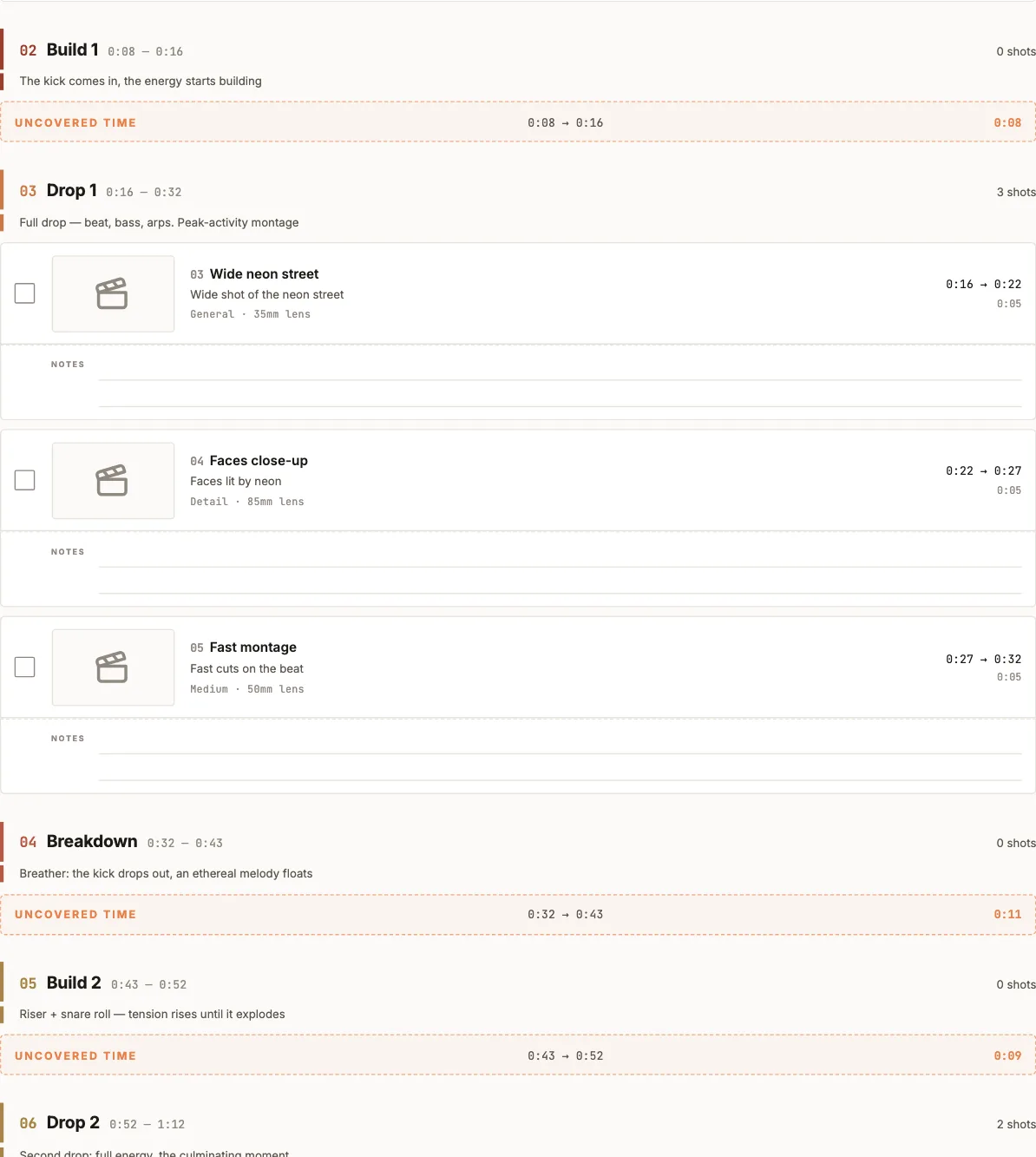
Print the list. Tick each shot as you get it, not as you attempt it. When a shot falls, look at its section and its seconds, and decide what covers them: a longer take of the shot before, or a new one. At the end of the day anything unticked is a hole in the video, and you know exactly how many seconds wide it is.
The same thing in PreFrame
PreFrame is this list, with the columns above and a clock underneath. The sections are cut on the song, or on the emotional curve if the song isn't chosen yet, and every shot sits inside its section with its seconds.
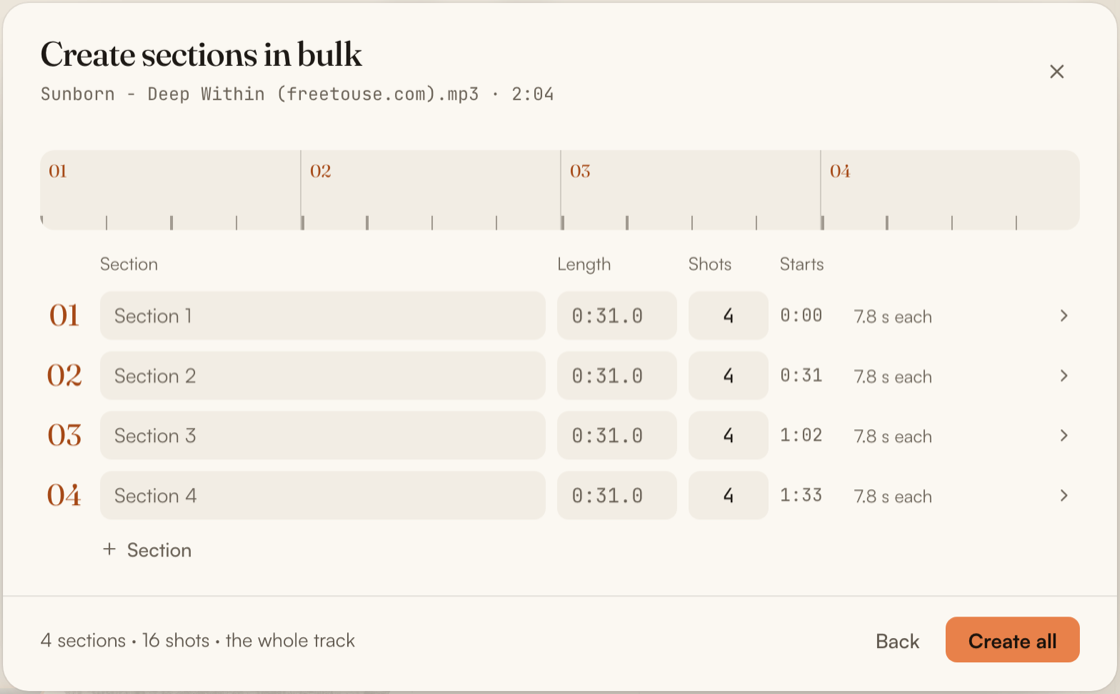
Typing it is as fast as the spreadsheet. You say how many sections, how many shots in each and how long the whole thing is, and the structure is laid out for you to rename: in a test with five sections and twenty shots, that took 110 seconds against 146 in a spreadsheet.
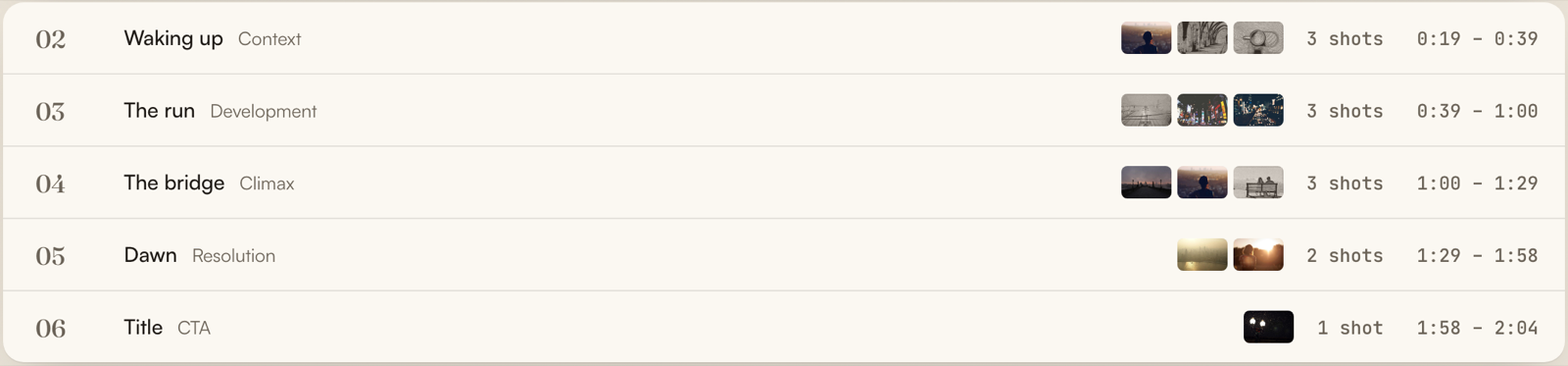
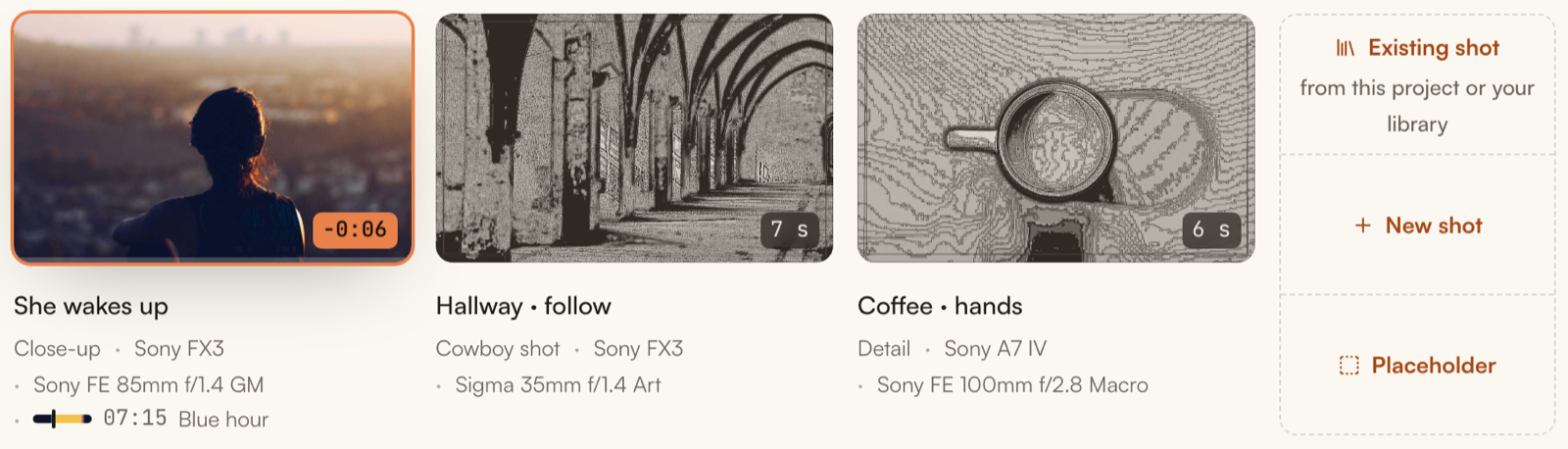
The printed plan comes out of the same list: a thumbnail per shot, a box to tick, the size, the gear, the exact seconds, and the seconds nobody has planned yet printed where they fall. The markers for your editor come out of it too. How the export works is explained in support.