Build a shot library: stop planning the same shots from scratch
Every filmmaker has twenty shots they keep coming back to. Write them down once — with the gear and the notes that make them work — and start every new project from there instead of from a blank page.
Look at your last five videos. The slow push-in on a detail to open. The drone pulling back from the subject at the peak. The handheld walk-behind. The locked-off wide held a beat too long. You've shot each of them a dozen times, and each time you planned it as if it were new — what lens was that on, how long did I hold it, what was the trick that made it work?
Those shots are your vocabulary. A shot library is simply writing the vocabulary down, so that a new project starts from what you already know how to do.
What makes a shot worth saving
Not every shot. A reusable shot is one where the how is the valuable part and the what changes every time: the subject is new, the move is the same.
A useful library entry has six things:
| Field | Why it's there |
|---|---|
| A name you'd say out loud | "Walk-behind", "The reveal", "Window detail". If you can't name it, you won't find it |
| Shot type | Wide, medium, close-up, detail, overhead, aerial |
| Camera and lens | The gear it actually worked on — this is what you forget first |
| Typical duration | How long it holds in the edit. A 10-second shot and a 1-second shot are planned differently |
| The note that makes it work | "Start out of focus." "Subject walks into the light, not across it." One line |
| A thumbnail | A frame from the last time you got it right |
The note is the point. It's the thing you learned the hard way on one shoot and would otherwise relearn on the next.
How to build it without making it a project
Don't sit down to catalogue your career. Do this instead:
- After every project, keep five. Open the finished edit, pick the five shots that did the most work, and write an entry for each. Ten minutes.
- Tag them by job, not by subject. Opener, establishing, transition, reveal, detail, climax, closer. You'll search for "I need an opener", never for "that shot from the Lisbon video".
- Keep your gear list next to it. Cameras and lenses you own, written once, so a shot's gear is a pick from a list and not something you type again.
After four or five projects you have twenty-odd entries, and they cover most of what you shoot.
Starting a project from the library
This is where it pays off. With a song cut into sections and a shot budget for each one:
- Go section by section and ask which library shots fit its job. The quiet opening takes a detail and a held wide. The build takes the walk-behind.
- Drop them in and rename them for this project — "Window detail" becomes "Café window, 7 a.m."
- Only now write the shots that are genuinely new.
Half the plan is done before you've had an original idea, and the ideas you do have go where they're needed instead of into reinventing the opener.
One rule: a library shot is a starting point, not a link. Once it's in a project you'll change its duration, its notes, maybe its lens. That shouldn't touch the library entry, and improving the library entry later shouldn't silently rewrite old projects.
The same thing in PreFrame
In PreFrame a shot is already that card: name, type, camera, lens, duration, notes and a thumbnail. The ones that worked go into a personal library that follows you from project to project.
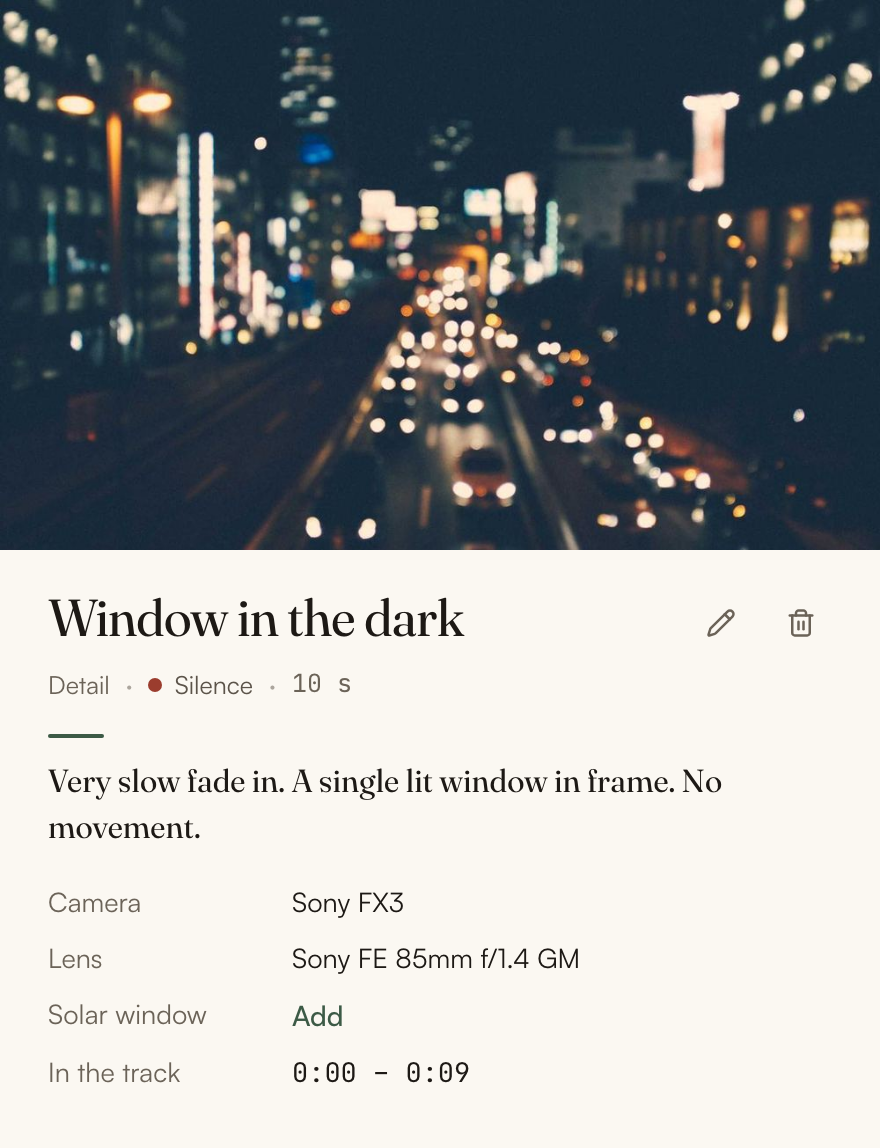
A shot in a section can start blank, from one already in this project, or from the library. And the library behaves the way the rule above says it should: a shot placed in a project is its own copy, so changing or deleting the library entry leaves the shots already in your projects as they were.

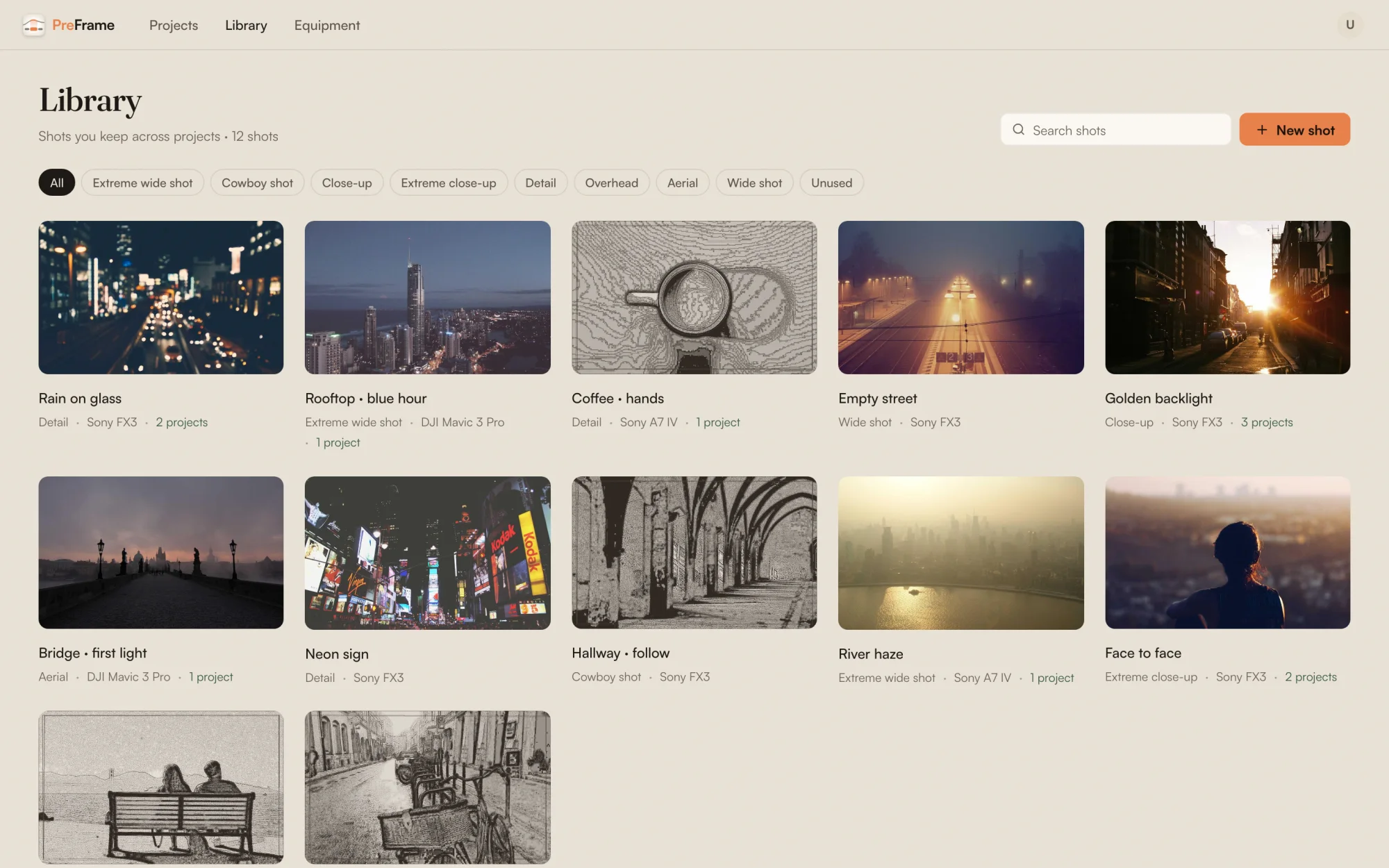
Your cameras and lenses travel between projects too, so a shot pulled from the library arrives with its gear already on it. The next video still needs new ideas. It just doesn't need you to plan the walk-behind for the thirteenth time.